





see whatever's open now.
save your go-to apps & tabs






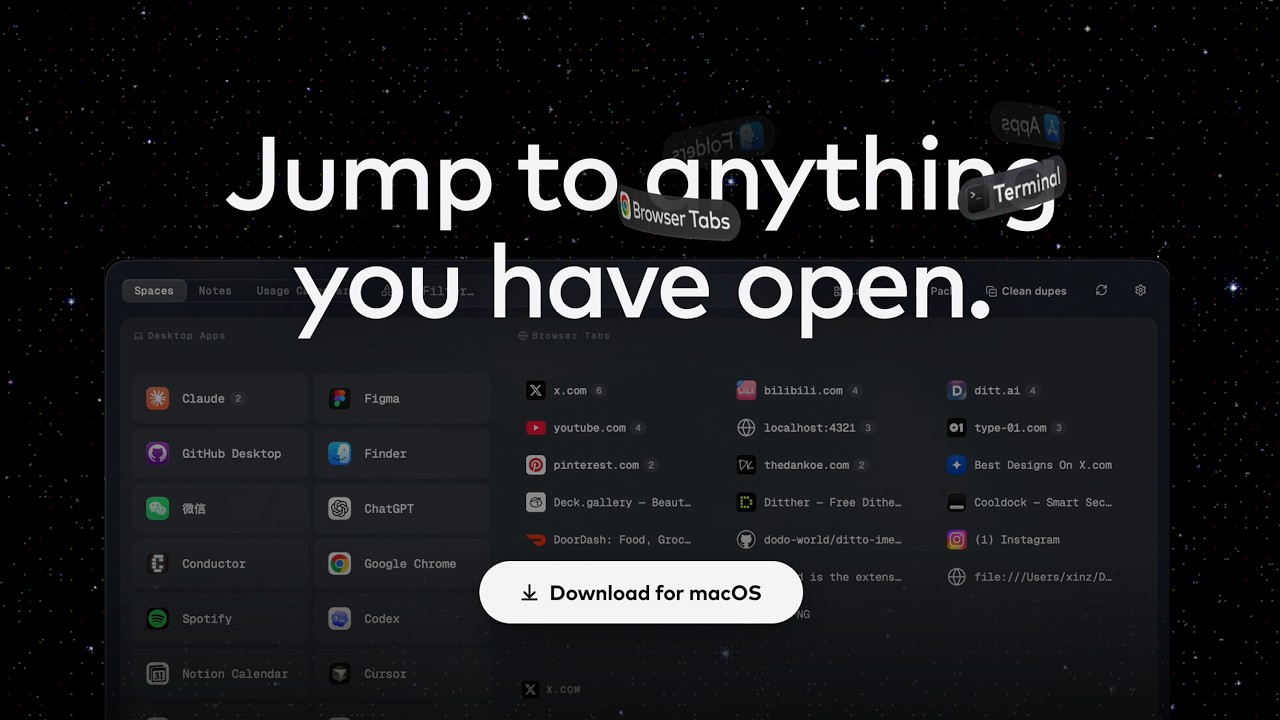
Jump to anything
you have open.
lock in with spacedock
 SpaceDock
Fri Jul 12
9:41 AM
SpaceDock
Fri Jul 12
9:41 AM




















little tools, built in.
Pricing

The whole launcher, free forever.
- Real-time Space
- One custom Space
- Global search
- Dupe-tab cleanup
- Notes
- All future updates

One payment, every tool.
EVERYTHING IN FREE, PLUS:
- Unlimited custom Spaces
- Built-in tools: Files · Back · Toys · Usage Calendar
- Every future tool, as it ships
- Use on up to 3 Macs
One-time purchase · 14-day refund, no questions asked · Secure checkout by Paddle
 THE MOON? STILL DECIDING WHAT IT WANTS TO BE.
FAQ
What is SpaceDock?
A god's-eye view of your Mac. One panel shows everything you have open: apps, browser tabs, folders. It also holds Spaces, where you collect the ones you use for each scenario. Live or collected, everything is one click away.
What is the Real-time Space?
The live view: everything that's open on your Mac right now. It updates itself; you never save or manage it.
What is a Custom Space?
A collection you curate: the apps, tabs and folders you keep coming back to, one Space per project, client or class. Free includes one custom Space; Pro makes them unlimited.
What's the difference between Free and Pro?
Free gives you the Real-time Space, one custom Space, global search, dupe-tab cleanup and Notes, with all future updates. Pro adds unlimited custom Spaces, the built-in tools (Files, Back, Toys, Usage Calendar and every future tool), and use on up to 3 Macs.
Is Pro a subscription?
No. You pay $28 once, and it keeps updating: new versions and new tools ship to you at no extra cost.
How many Macs can I use Pro on?
One license covers up to 3 Macs: desk, laptop, and one more. The app itself is a universal build, so it runs natively on both Apple silicon and Intel.
Why does SpaceDock need the Accessibility permission?
macOS requires it to read window titles and move windows on your behalf. SpaceDock uses it for exactly that, and nothing else.
Where does my data live?
On your Mac, as plain local files: Spaces, pins, notes, usage data, all of it. No account, no sync server, no telemetry. If you ever leave, your files are just there, readable.
Will SpaceDock slow my Mac down?
It's a small native app. It reads what's open through macOS APIs rather than heavyweight background scanning, and it idles quietly until you call it up.
What are the built-in tools?
Five so far. Files keeps your working files one drag away on a floating shelf. Back returns you to the app you were just in. Notes stores quick rich-text notes as local files. Toys is a hidden corner to unwind: pin board, tarot, coin flip, Magic 8-Ball. Usage Calendar shows your Claude and Codex usage on a monthly calendar, read from local session data. More are in orbit.
Can I get a refund?
Yes: 14 days, no questions asked. Email [email protected] or read the refund policy. After a refund, the free plan keeps working.
I found a bug, or I want a feature.
Write to [email protected]. A human reads every message.